Polydrive - Multiband Distortion Plugin
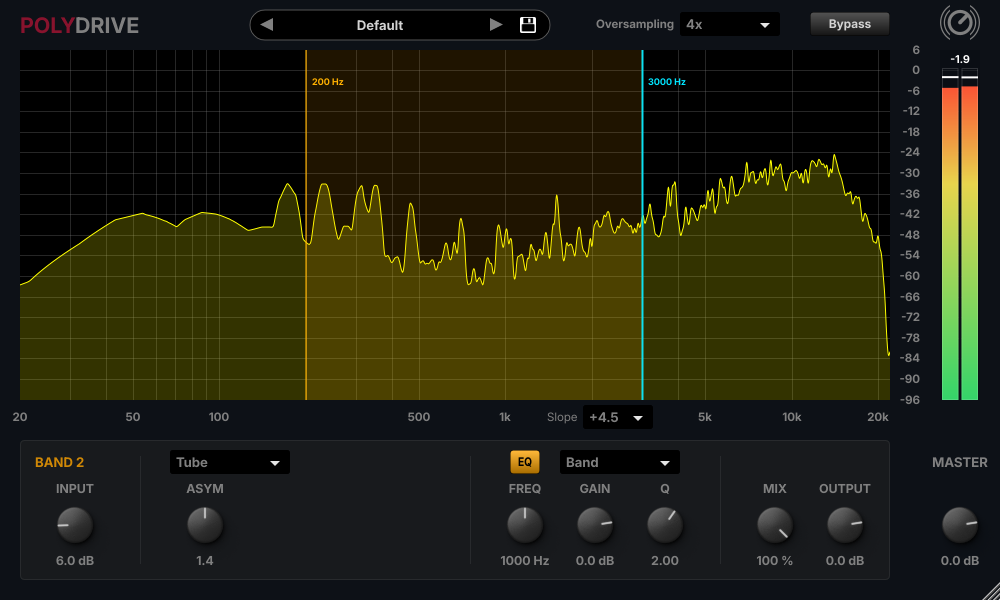 Click the image to see the plugin in its original size.
Unlimited Time Demo
A gentle white noise plays for 3 seconds every 60 seconds.
License: Lifetime Deal
One-time payment
Serial number license
No internet required
Price 25.00 €
Description
Polydrive scores particularly well due to its simplicity and price: up to 6 bands, up to 16x oversampling, and just 25 € for a lifetime license.
Conventional distortion plugins hit your entire signal at once. Your bass turns muddy, your dynamics disappear, and your highs get harsh. Polydrive splits your sound into up to 6 frequency bands and lets you shape each one individually: tight lows, biting mids, shimmering highs.
Whether it’s rich guitars, gritty synths, or aggressive drums, you decide how much grit goes where. From subtle warmth to musically driven destruction, Polydrive gives you the precision of a multiband workflow without the complexity.
Pay once, use it forever. No subscription, no online activation, no internet connection needed. Just enter your serial number and you’re ready to go. Try the unlimited demo first and hear the difference yourself.
Manual
Polydrive_Manual.pdf
Features
- Splits your signal into up to 6 frequency bands, each with its own distortion
- Per-band input, mix, and output controls, plus multiple distortion types with their own settings (e.g., asymmetry, effect, curve)
- Built-in EQ per band (frequency, gain, Q)
- Up to 16x oversampling for a cleaner sound with reduced aliasing
- Real-time spectrum display to see exactly where you’re working
- Output VU meter for easy level control
- Bypass button for instant A/B comparison
- Most parameters can be automated via your DAW
- VST3 for Windows, macOS, and Linux
- Unlimited demo and lifetime license for 25 €
- Simple serial number license: no internet connection required
Installation
- Download the Polydrive.zip and unzip it
- After that, copy all files to the VST folder of your DAW
- Done